
Charging Station for Apple Devices: Magnetic Wireless Charger for iPhone Review
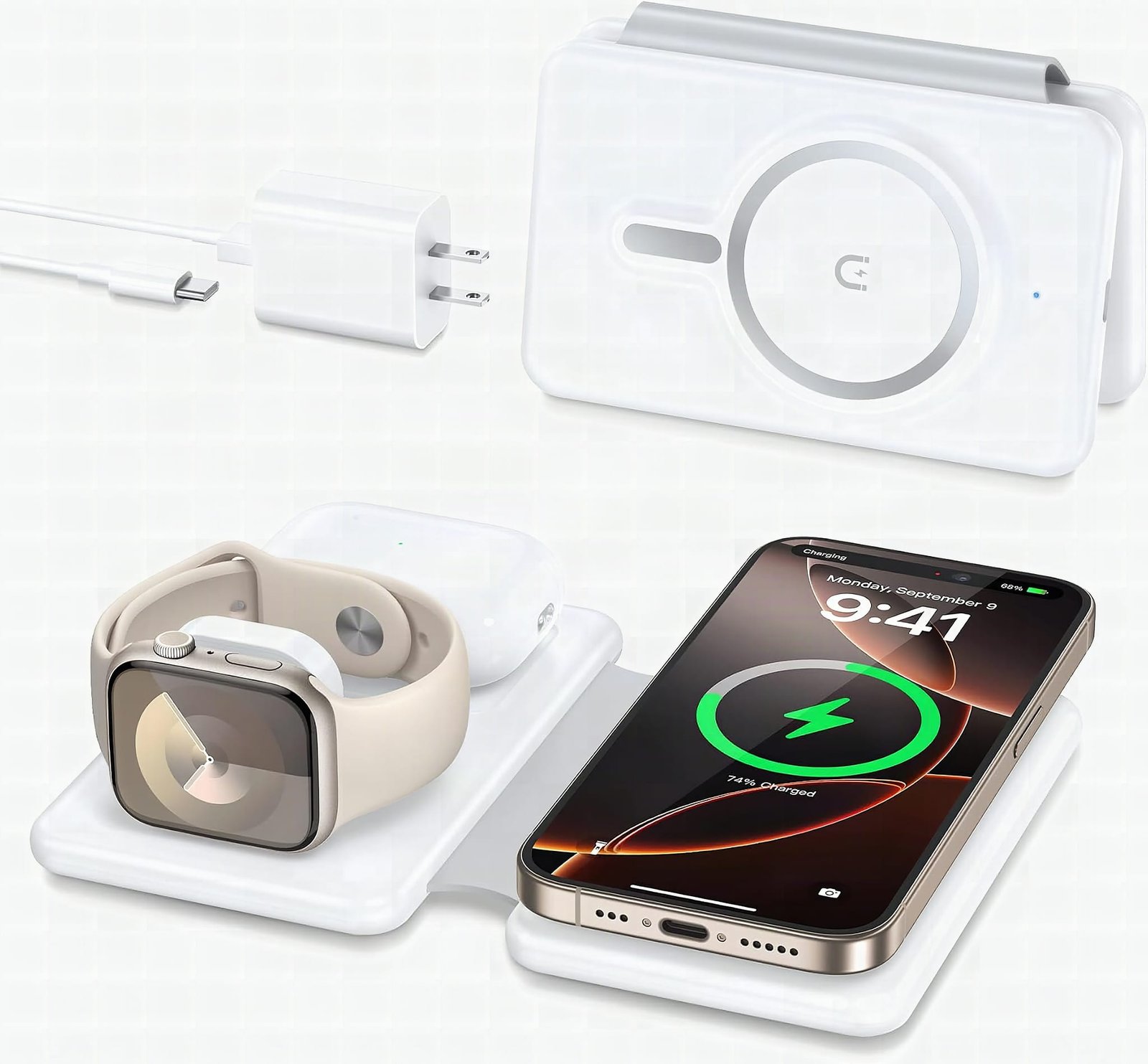
A foldable 3-in-1 station apple charger that handles iPhone, Apple Watch and AirPods off one cord, and comes with the brick.
The Charging Station for Apple Devices is worth buying if you own an iPhone, Apple Watch and AirPods and are tired of hauling three chargers. It folds flat for a backpack, charges all three off one cord, and ships with both the USB-C cable and the charging brick. Buy it.
This post contains affiliate links. I may earn a commission at no extra cost to you.
How this review was made: written from my own video review of this product. Every opinion here is my own, from using it myself.
Quick Verdict
One cord, three Apple devices, and it folds flat enough to live in my travel bag. It even comes with the brick and the USB-C cable, which rarely happens anymore. This is one of the things I just don’t travel without now.
Buy if you:
- Carry an iPhone, Apple Watch and AirPods and pack three chargers for them
- Stay in hotels where outlets are scarce and you only want one plug used
- Want a nightstand or light-stand spot where everything drops in one place
- Don’t want to buy a separate brick and cable on top of the charger
Skip if you:
- Run a thick case. Anything over 5mm has to come off, which is a nuisance at a hotel desk
- Expect it to work cordless. The station itself still has to be plugged into power
- Carry Android or non-MagSafe gear, since the magnetic alignment is built for Apple
| Devices at once | 3 (iPhone, Apple Watch, AirPods) |
|---|---|
| Included | Charging brick + USB-C cable |
| Phone compatibility | iPhone 12 through 17 series, incl. Pro/Plus/Pro Max |
| Watch / AirPods | Apple Watch 2, 10 & Ultra; AirPods 2/3/4 & Pro with MagSafe case |
| Case limit | Remove cases thicker than 5mm |
| Protection | Over-current, over-voltage, over-charge |
The Green Light That Sold Me
I plopped my AirPods down on the pad and the green light kicked on almost immediately. That was the moment. Then I set my iPhone on the magnetic pad and it connected the second it touched. Two devices, one cord, no hunting. I didn’t expect a charging pad to be the thing I notice when I forget it, but I did, on a trip last month, and I ended up back to three cables and two borrowed outlets. If you want to see where it sits right now, you can check today’s price on Amazon.
I don’t have an Apple Watch to put on it right now, so I can’t tell you how fast that arm charges. What I can tell you is the puck is there and the magnetic alignment on the phone side is firm enough that nothing slid off.
What’s Inside This Station Apple Charger
It’s a three-in-one foldable pad with MagSafe magnetic alignment built in. The iPhone rides on a raised magnetic pad, the Watch sits on its own puck, and the AirPods case drops flat on the base. All of it runs off a single USB-C cable into one brick.
And here’s the part I keep coming back to: it comes with the charging brick and the USB-C cable. That’s rare nowadays. Most of these things ship as a bare pad and then you’re down one more purchase before you can use it. The listing also notes a built-in chipset with over-current, over-voltage and over-charge protection, plus the phone pad is raised slightly so your camera bump isn’t grinding into plastic.
Compatibility is wide on the Apple side. iPhone 12 all the way up through the current 17 line including Pro, Plus and Pro Max, Apple Watch 2 through 10 and the Ultras, and AirPods 2, 3, 4 and Pro with a MagSafe case. That covers six years of iPhone hardware, if you bought it after 2020, you’re in.
“Wireless” Doesn’t Mean No Cord
The station still has to be plugged into the wall. That’s the thing buyers misread on these docking station apple devices listings. Wireless means your phone, watch and AirPods don’t take cables. The dock itself is wired, always.
Which is still the whole win. I used to carry a Lightning-era tangle for every device. Now it’s one cord and one outlet. In a hotel room where you’ve got maybe two usable plugs behind the nightstand, going from three plugs to one changes the night.
It Folds, and It Keeps Folding
Folded, it’s sleek and slim enough that it disappears into a backpack pocket. Open it and it stands up in a higher profile for the phone and watch. The hinge is the part that has to survive, since it’s the thing getting opened and collapsed on every trip, and mine has held its shape through repeated folding without getting loose or floppy.
The magnets haven’t weakened either. The iPhone still snaps to the same spot with the same grip it had the first day. That’s the failure point I watch for on magnetic gear, because a pad that drifts is a phone at 14% in the morning.
Worth knowing on demand: Amazon has it ranked #1,453 in Cell Phones & Accessories with more than 2,000 bought in the past month, and MVP’s tracking has it sitting well under its typical three-month price, close to the lowest it’s been tracked at. See it on Amazon for where it lands today.
The 5mm Case Rule Is Annoying
Cases thicker than 5mm have to come off. A magnetic case is fine, but a chunky rugged one is going to sit too far from the coil and your alignment gets sloppy. That’s a real irritation if you’re the kind of person who runs an armored case and doesn’t want to peel it off at a hotel desk at midnight.
The other thing: you have to center your devices properly. The magnets help a lot on the phone, but the AirPods pad is a drop-and-place spot, so give it a glance for the green light instead of assuming.
Travelers and Nightstand People
If you travel with two or three Apple devices, this is the buy. That’s exactly how I use it. At home it sits next to my light stand at night, where I throw all my devices on one thing with one cord and go to bed.
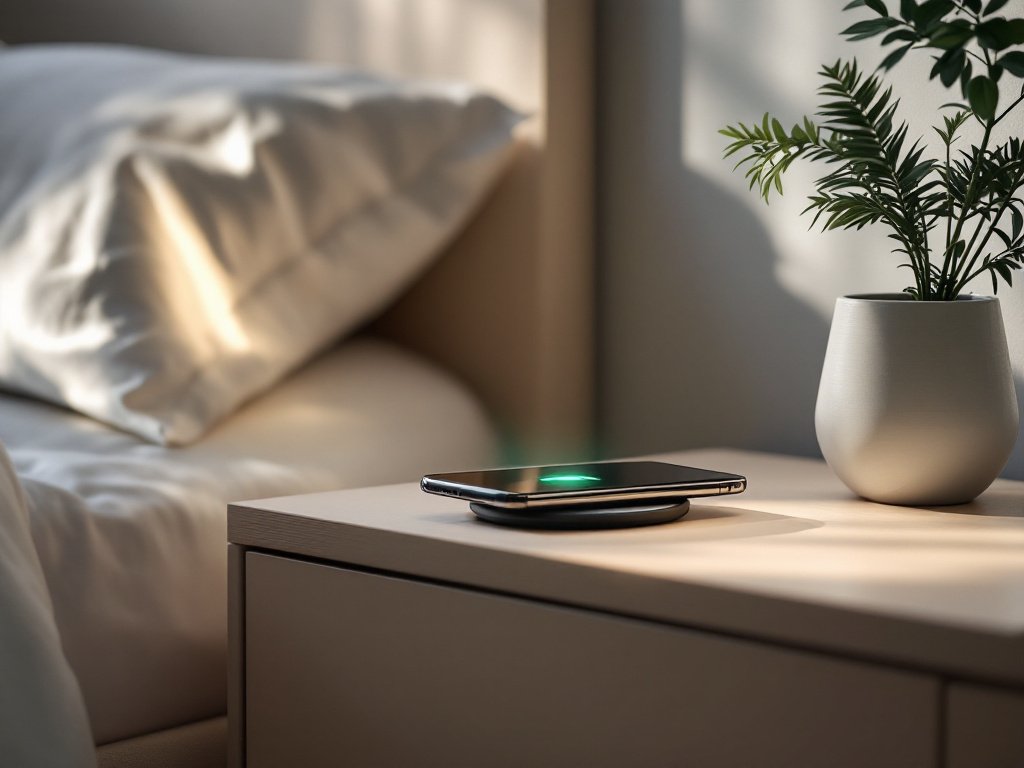
If you’re only charging an iPhone, a single MagSafe puck costs less and takes up half the space, this station is overkill. Same goes for anyone running Android: the magnetic alignment is Apple-only by design. But if your nightstand currently looks like a cable yard sale for three Apple devices, this is the buy.
Frequently Asked Questions
Can I use my own charging brick instead of the included one?
You can, since it takes a standard USB-C cable, but there’s no reason to. The brick comes in the box, which is unusual for this category, so most people will just use what shipped with it.
Does it need an app or an account?
No app, no account, no subscription. Plug it in, set a device down, done. There’s no firmware to update either, so nothing goes stale on it.
Will it charge an older iPhone that doesn’t have MagSafe?
The listed magnetic compatibility starts at iPhone 12. Anything older than that doesn’t have the magnet ring, so alignment won’t hold and you’d be better off with a cable.
How do I clean the magnetic pad?
Unplug it and wipe the pads with a dry or barely damp microfiber cloth. Lint collects on the magnetic ring over time and that’s what causes a weak snap, not failing magnets.
Clicking takes you to Amazon. As an Amazon Associate we earn from qualifying purchases — pricing and availability subject to change.
Get it now
Charging Station for Apple Devices
Get the best price on Amazon →Affiliate link. See the disclosure at the top of this post.

🛍️ Shop everything in this video
Every product mentioned, in one place. These are affiliate links, so I may earn a small commission at no extra cost to you.
🛍️ 3-in-1 Apple Charging Station with MagSafe: check price on Amazon →
🛍️ USB-C Cable: check price on Amazon →
🛍️ Charging Brick: check price on Amazon →