
Acer USB to Ethernet Adapter with 3 USB Ports Review
My take on the Acer USB to Ethernet adapter: gigabit wired internet, 3 USB 3.0 ports, USB-A and USB-C, in one aluminum hub I keep in my bag.
This post contains affiliate links. I may earn a commission at no extra cost to you.
Quick Verdict
One cable to the wall, one to my MacBook, and I stopped fighting flaky WiFi. This Acer USB ethernet adapter gives me a gigabit wired connection plus 3 USB 3.0 ports from one small aluminum hub, and it’s fastly becoming one of my favorite accessories.
Buy if you:
- Prefer a wire connection over WiFi for video calls and uploads
- Use a MacBook or any USB-C laptop that’s short on ports
- Travel for work and want one adapter in the bag, not three
- Need extra USB 3.0 ports for a mouse, keyboard, and flash drive
Skip if you:
- Only have an old Cat5 cable lying around (you need Cat6+ to hit 1Gbps)
- Want HDMI, a USB-C data port, or pass-through charging (none here)
- Are happy with WiFi and never plug into a wall jack
Clicking takes you to the seller's website. We may earn a small commission if you purchase, at no extra cost to you.
| Ethernet speed | Up to 1000Mbps (Gigabit) |
|---|---|
| USB ports | 3x USB 3.0, up to 5Gbps shared |
| Connector | Detachable USB-C / USB-A |
| Body | Aluminum alloy, ~0.65 ft cable |
| Compatibility | MacBook, Windows, Linux, Chrome OS, Android |
| Setup | Plug and play, driver free on most systems |
The Cable That Killed My WiFi Complaints
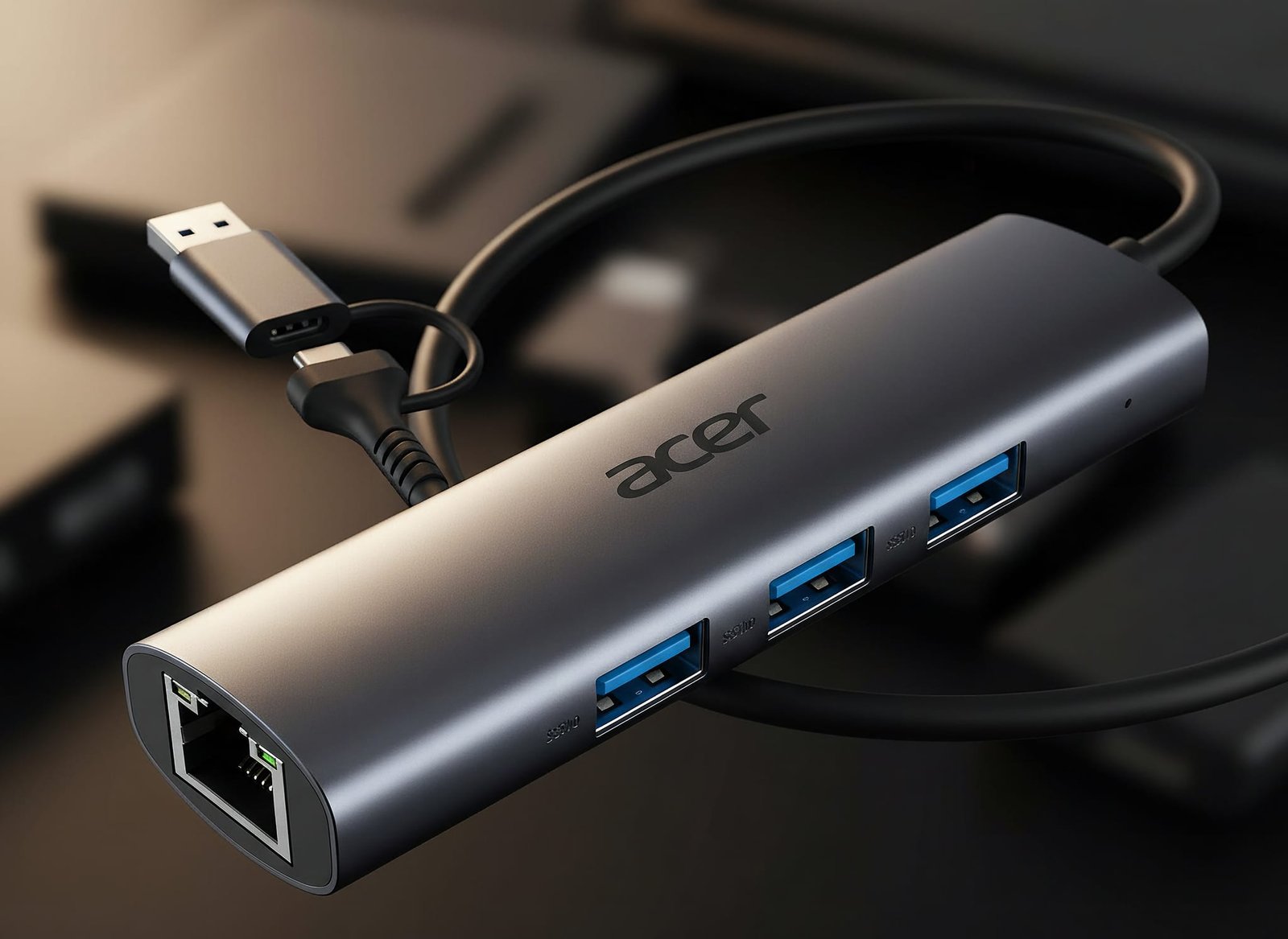
My MacBook has two USB-C ports and zero ethernet jacks, which makes this Acer adapter the only thing standing between me and flaky hotel WiFi. Ethernet cable into one end, USB-C into the laptop, and I’m on a gigabit wired connection in three seconds. It’s the one adapter I actually keep in my bag full-time, here’s why it earned that spot.
The big big reason this is so great is the wired connection. WiFi drops, WiFi gets crowded, WiFi does whatever it wants in a busy office or hotel. A wire doesn’t. For video calls and large file uploads, that stability is the whole point.
What’s Packed Into This Little Hub
This is a 4-in-1 hub, not just an ethernet dongle. You get one Gigabit ethernet port rated up to 1000Mbps, plus three USB 3.0 ports that all work at the same time. The USB-A ports share a total of 5Gbps of bandwidth, which is 10x faster than USB 2.0. So it doubles as a usb ethernet hub when I need to plug in a mouse, a keyboard, and a flash drive at once.
The clever part is the connector. It ships as a USB-C tip, but you can take that right off and there’s a USB-A connection underneath. I use a MacBook, so I stay on USB-C, but the dual design means it works on almost any laptop or tablet without buying a second adapter.
Wired Speed I Can Actually Feel
The moment I unplugged from WiFi and plugged into this, my video calls stopped pixelating mid-sentence. The wired link on my MacBook holds rock-steady through back-to-back Zoom calls and large file transfers, the kind of session where WiFi would have dropped me at least once.
It’s plug and play. No disc, no account, no app on my Mac. I connect it and macOS sees the wired network. The three USB 3.0 ports came alive at the same time too, so I wasn’t choosing between ethernet and my peripherals.
The Cat6 Cable Catch Nobody Warns You About
To hit that 1000Mbps, you need a Cat6 or better Ethernet cable. Plug in an old Cat5 that’s been in a drawer for years and you’ll cap out well below gigabit and wonder why the numbers look off. That’s not the adapter’s fault, but it’s easy to forget, and it tripped me up until I swapped the cable.
One more thing to keep straight. If you’re using the USB-A side instead of USB-C, you have to make sure the USB-C tip is seated securely into the USB-A connector first. It’s a small step, but it’s the one you’ll forget the first time and then blame the port. And no, there’s no HDMI, no USB-C data port, and no pass-through charging here. This is ethernet plus USB, nothing more.
Get it now
Acer USB to Ethernet Adapter
Get the best price on Amazon →This post contains affiliate links. I may earn a commission at no extra cost to you.

Who This Adapter Actually Fits
This is for people who live on their laptop and hate flaky WiFi. If you’re on video calls all day, uploading big files, or gaming and streaming where a dropped connection ruins everything, a wired link is the fix. I keep this one in my backpack and my computer bag, especially when I’m on the go for work with just my laptop and I need to plug into an Ethernet jack at a hotel or office.
It’s also the fix for the two-port MacBook problem. With this plugged into one USB-C slot I have wired gigabit ethernet, a mouse, a keyboard, and a flash drive all running at once, the other USB-C port stays free for charging. That’s four connections from one dongle instead of three.
Setup Tips Before You Plug In
Buy a Cat6 cable if you don’t already own one. Grab a short Cat6 with it so you get the full gigabit connection instead of throttling yourself on old wiring. On a Mac, Windows 10, or a Chromebook it’s driver free, but if you’re on something older like Windows 7 or XP, you may need to install a driver from the manual. Check that before you count on it working the second you plug it in.
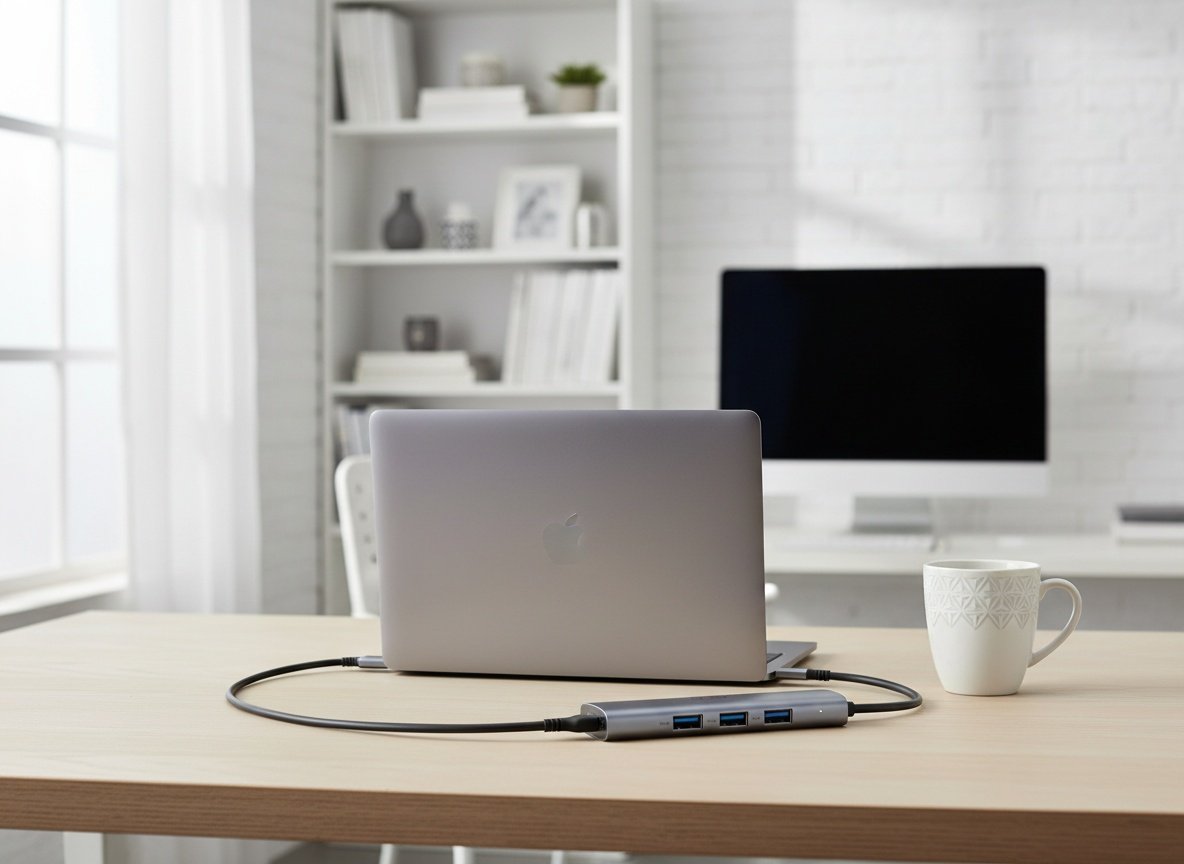
And seat the connectors firmly. Both the RJ45 into the ethernet port and, if you’re on USB-A, the USB-C tip into the USB-A shell. Loose connections are the main reason people think one of these adapters is slow or dead.
Pros
- Wired gigabit connection that’s steadier than WiFi for calls and uploads
- Three USB 3.0 ports plus ethernet, all usable at the same time
- Detachable USB-C tip reveals a USB-A connector for wide compatibility
- Plug and play on my MacBook with no app or account
- Small aluminum build that lives in my backpack for work travel
Cons
- Needs a Cat6+ cable to actually reach 1000Mbps
- USB-C tip has to be seated securely when using the USB-A side
- No HDMI, no USB-C data port, no pass-through charging
Frequently Asked Questions
Does this USB ethernet adapter work with a MacBook?
Yes. I use it on a MacBook over USB-C and it’s plug and play with no driver install. It also lists support for MacBook Pro, Air, iMac, and iPad Pro, plus Windows, Linux, Chrome OS, and Android.
Do I need to install software or drivers?
Not on most modern systems. macOS, Windows 10, and Chrome OS recognize it instantly. Only older systems like Windows 7 or XP may need a driver, which you download manually from the installation manual.
Why isn’t my connection hitting gigabit speed?
Almost always the cable. You need a Cat6 or better Ethernet cable to reach 1000Mbps. An old Cat5 will cap you far lower. Also double-check the RJ45 is fully seated in the port.
Can I use the USB ports and ethernet at the same time?
Yes, all four are usable simultaneously. The ethernet runs independently while the three USB 3.0 ports share a total of 5Gbps of bandwidth for your peripherals.
Does it charge my laptop through the adapter?
No. There’s no PD pass-through charging, no HDMI, and no USB-C data port. This is strictly a gigabit ethernet plus three USB 3.0 port hub, so keep your charger plugged into a separate port.
Will it work with a tablet or phone?
It can. It’s listed as compatible with iPad Pro, Surface, tablets, and Android smartphones thanks to the dual USB-A/USB-C design. Support varies by device, so wired ethernet on a phone depends on that phone allowing it.
Is it durable enough to toss in a bag every day?
Yes, that’s how I carry it. The aluminum alloy body handles heat well and feels solid for daily travel between home and office. The short cable keeps it compact in a backpack or computer bag.
Can this replace my WiFi entirely?
Only where there’s a wall jack to plug into. It gives you a wired connection anywhere an Ethernet port exists, which is why it shines in offices and hotels. Away from a jack, you’re back on WiFi.
Get it now
Acer USB to Ethernet Adapter
Get the best price on Amazon →This post contains affiliate links. I may earn a commission at no extra cost to you.
🛍️ Shop everything in this video
Every product mentioned, in one place — these are affiliate links, so I may earn a small commission at no extra cost to you.
🛍️ Acer USB to Ethernet Adapter with USB Ports — check price on Amazon →