ZealSound K66 Podcast Microphone Review
I plugged this ZealSound podcast microphone straight into my MacBook and iPhone. Here's how the noise cancellation and daily-use audio actually held up.
This post contains affiliate links. I may earn a commission at no extra cost to you.
I unboxed this straight from Amazon and plugged it into my MacBook to record the intro for a client video, no drivers, no fussing, just a light that came on and I was live. When I’m making a video like the one you just watched, recording a podcast, or capturing anything at all, this ZealSound podcast microphone has been very handy and very good. It’s a USB podcast microphone that skips the whole driver-and-software circus, and for what you pay, it’s probably one of the best microphones I’ve had for the cost.
Quick Verdict
I plug this straight into my MacBook and my iPhone with the same adapter, and for under $80 it outperforms mics at twice the price on clarity and simplicity, though it can’t mask an AC unit. It won’t mask a loud air conditioner, but in a quiet room it’s a workhorse that handles my day-to-day recording without a second thought.
Buy if you:
- Record videos or podcasts from a fairly quiet room
- Want to plug into a MacBook, iPhone, or iPad with one adapter
- Hate drivers, apps, and long setup routines
- Want physical volume and mute controls on the mic itself
Skip if you:
- Record near a running furnace or AC, the noise cancellation still lets it through
- Need broadcast-grade noise masking that mutes loud background sound
- Want a full pro studio rig with an XLR interface
| Model | ZealSound K66 USB |
|---|---|
| Pickup pattern | Cardioid condenser |
| Frequency response | 40Hz, 18kHz |
| Sampling rate | 46kHz |
| Connectivity | USB with USB-C + Lightning adapters |
| Compatibility | PC, Mac, iPhone, iPad, Android, PS4/PS5 |
The Mic I Now Use For Just About Everything
Here’s the frame: the noise cancellation is the one place this mic shows its price tag. Run the AC or furnace and you’ll hear it on the track. Everything else, clarity, setup speed, cross-device flexibility, punches above what you paid.
What’s On The Mic And What It Does
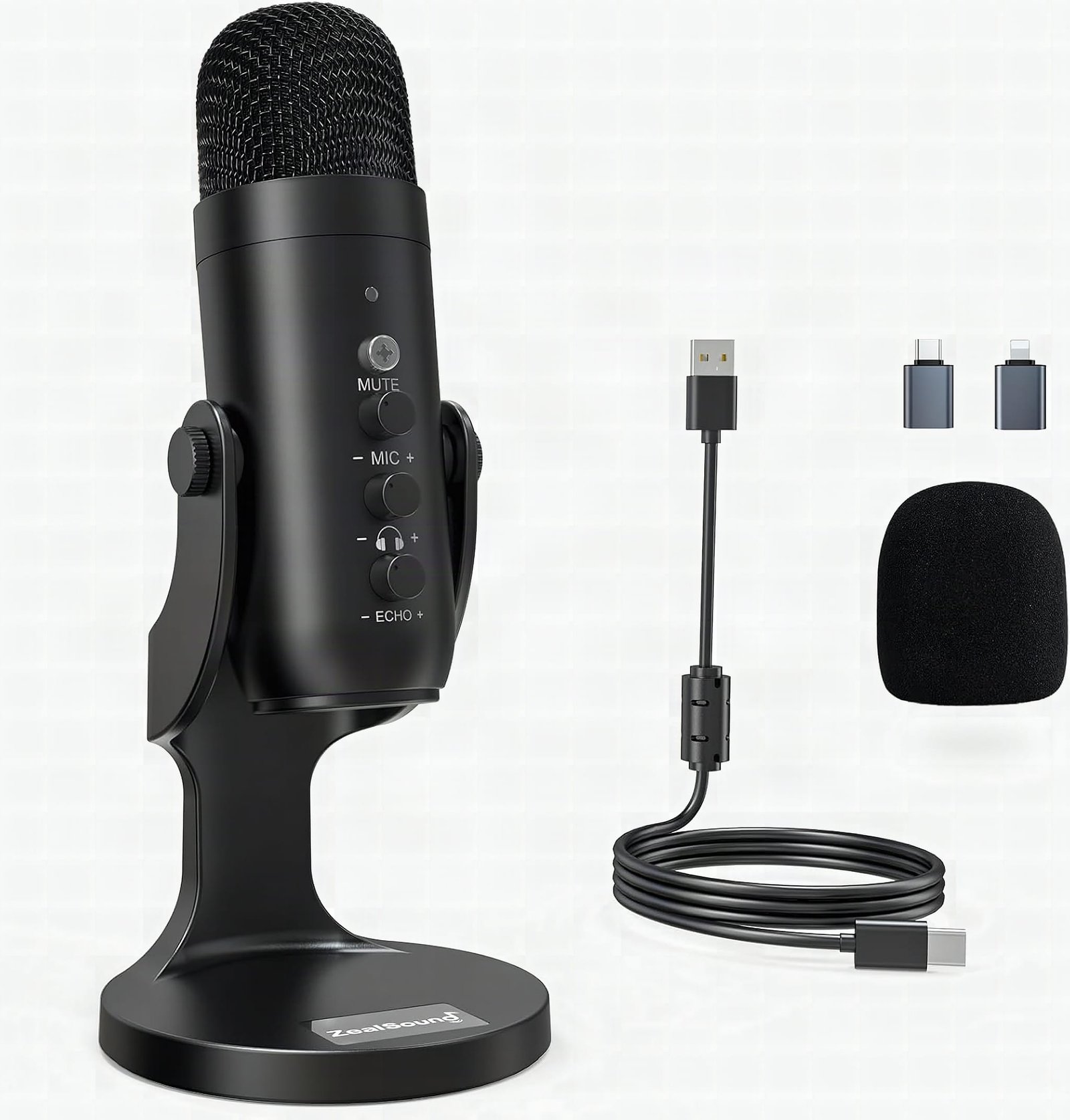
The controls live right on the microphone: volume, mute, and a light that tells you exactly what’s happening. When it’s lit up, power is going to the mic. Plug in the USB and you’ll see the light come back on, which is your signal that everything’s live. Push the mute button and the red indicator kicks in, so you know it’s muted more than anything else. Simple, and you never have to guess.
On paper the K66 runs a cardioid condenser capsule with a 40Hz to 18kHz frequency response and a 46kHz sampling rate, which is why voices come through with decent lows and clear highs. It ships with both USB-C and Lightning adapters, and that’s the part that matters to me day to day.
Plug It In And Go, No Setup Required
Zero setup is the real story here. What I do is put the USB adapter on and plug this directly into my Apple MacBook. Anytime I’m doing any recording, making videos, that’s my whole routine. Plug in, watch the light come on, start talking. No drivers, no app to download, nothing to configure.
And it isn’t a one-device mic. I’ve used it for my iPhone too. Same connection, I plug it right in and I can do video content or recordings on the phone. Your iPad works the same way. For a podcast microphone for iPhone use, that Lightning adapter in the box means you’re not hunting for extra parts. That flexibility is a big part of why it passes my test for daily use.
The Noise Cancellation Won’t Fool You
The noise cancellation does a decent job, but it won’t mask loud noises. I tried it a couple times. I turned the air conditioner and furnace up, and I could visibly hear that noise come through in the recording. More expensive mics will mask that out and you won’t hear it at all. This one, you still hear it.
So set your expectations right. It won’t give you a high-level muting or masking of background noise. If you’re recording next to a running HVAC vent, that hum is going to be on the track. But if you have a decent environment where there isn’t a whole lot of noise, this is well worth the money. That’s the trade-off, and I’d rather you know it now than after you hit record.
Get it now
ZealSound K66 Podcast Microphone
Get the best price on Amazon →This post contains affiliate links. I may earn a commission at no extra cost to you.

Who This Mic Is Really For
The creator this mic was built for has a laptop on the desk, a phone in their hand, and no interest in configuring an audio interface. If that’s you, YouTube, podcast, Zoom, voiceover, any of it, the K66 covers the whole workflow with two adapters that come in the box. No treated room required, just close the door and kill the fan.
If you’re recording next to a running HVAC vent, spend more. But if your room is reasonably quiet, I’ve been reaching for this mic over more expensive options on my shelf, that’s the only bar that matters to me.
Against A Pricier Studio Mic
Higher-end mics beat it in one clear place: noise masking. Some of the more quality microphones will definitely mute that air conditioner hum out entirely so you won’t hear it. This ZealSound won’t. That’s the gap you pay for when you step up in price.
Where this one wins is cost and simplicity. You get onboard volume, mute, and a plug-and-play setup across a MacBook, iPhone, and iPad with adapters already in the box. For the money, you’re getting a workhorse instead of a temperamental studio piece, and for a lot of creators that’s the smarter buy.
My Advice Before You Hit Record
Sort out your room first. This mic rewards a quiet space and punishes a loud one, so kill the fan, pause the AC, and close the door before you record. Do that and you’ll get audio that punches above what you paid.
Learn the light. When it’s lit, power’s flowing and you’re live. Hit the mute and watch for the red indicator so you’re never talking into a dead mic or, worse, leaving it hot when you didn’t mean to. And keep the right adapter handy for whichever device you’re on that day, since switching between the MacBook and iPhone is the whole point.
Pros
- One of the best microphones I’ve had for the cost
- True plug-and-play, no drivers or software to install
- Works on MacBook, iPhone, and iPad with the included adapters
- Onboard volume and mute with a clear light and red mute indicator
- Handles daily video and podcast recording like a workhorse
Cons
- Noise cancellation won’t mask loud sound, I could still hear the AC and furnace
- Not built for broadcast-grade background noise removal
- Needs a fairly quiet room to sound its best
Frequently Asked Questions
Does the ZealSound podcast microphone work with iPhone?
Yes. I plug it right into my iPhone using the same connection with the included Lightning adapter, and I can record video content and audio directly. It works with iPad the same way.
Do I need to install any drivers or software?
No. It’s true plug-and-play. You attach the adapter, plug it into your MacBook or phone, and start recording once the light comes on. There’s nothing to download or configure.
Will it block out background noise completely?
No, and that’s the limitation. It does a decent job in a quiet room, but louder sounds like an air conditioner or furnace still come through. Pricier mics mask that better.
Can I use it for gaming consoles or streaming?
Yes. The listing lists PC, Mac, PS4, and PS5 support, so it covers streaming, Discord, and gaming setups. The USB connection is the same across those platforms.
How do I know when it’s muted?
Push the mute button and a red indicator lights up, so you can see it’s muted at a glance. When the mic is powered and live, the light is on to confirm signal.
Does it come with everything I need to start recording?
Yes. It ships with USB-C and Lightning adapters, so you can connect to a desktop, a modern USB-C phone, or an iPhone without buying anything extra. No stand or interface is required.
Is it good enough for a small home podcast?
For a home podcast in a quiet room, yes. It passes my test for daily use and delivers clean, usable vocals. Just record in a space without a lot of ambient noise.
Can I adjust the volume and gain during a session?
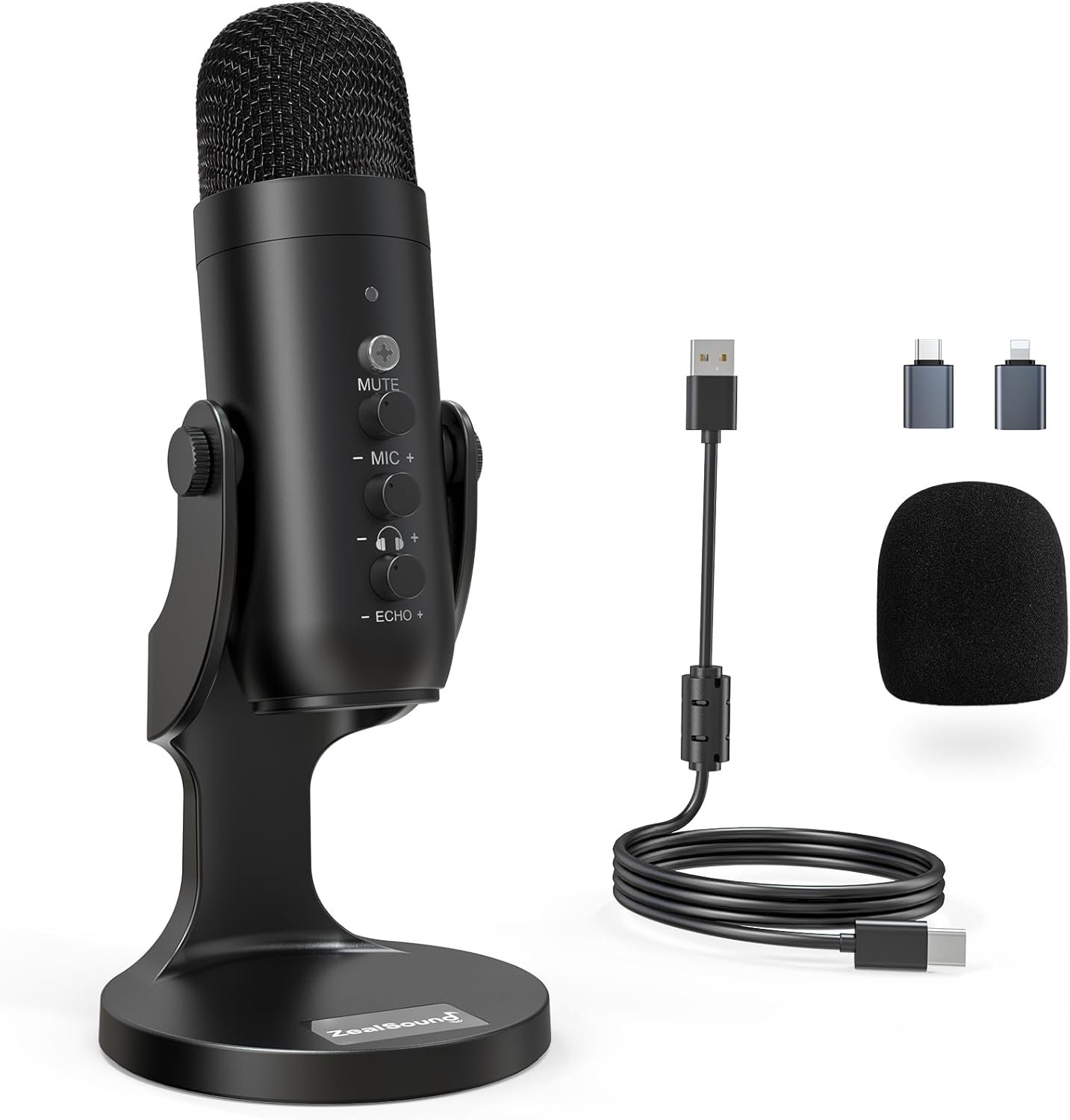
Yes. The controls sit right on the microphone, so you can tweak volume and mute on the fly without touching software mid-recording. That’s handy during a live session.
Clicking takes you to the seller's website. We may earn a small commission if you purchase, at no extra cost to you.
Get it now
ZealSound K66 Podcast Microphone
Get the best price on Amazon →This post contains affiliate links. I may earn a commission at no extra cost to you.
🛍️ Shop everything in this video
Every product mentioned, in one place — these are affiliate links, so I may earn a small commission at no extra cost to you.
🛍️ ZealSound Podcast Microphone — check price on Amazon →